Using VR in the Onboarding Process
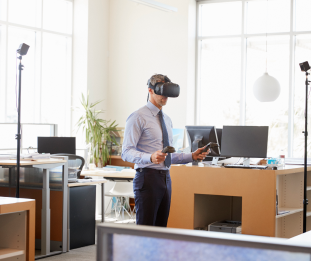
With more and more offices transitioning to a hybrid work model, some companies are eliminating comprehensive face-to-face corporate training and onboarding processes. In many cases, employees have a brief meeting with their bosses, receive the equipment they need for the job, and start working immediately. However, face-to-face onboarding is a must for making a good start with new employees. Therefore, companies should offer a warm welcome to new employees and not skip onboarding training to help them adapt as quickly as possible. You might consider using virtual reality (VR), one of the latest trends for effective onboarding.
Advantages of Virtual Onboarding
Incorporating VR into the onboarding process allows you to maintain all the essential elements needed to conduct successful onboarding without disrupting your employees' work-from-home process. VR ensures that the employee has a sense of belonging and community and also gives them an idea of what the office looks like if they transition from working from home to the office in the future. A well-organized VR onboarding prepares employees to find everything they need for the job.
Just like gamification-based onboarding, VR helps provide a positive and engaging onboarding experience for new employees. Various studies have shown that employees are 69% more likely to stay with the company for at least three years with this type of onboarding. The onboarding process is time-consuming and often costly, but thanks to the VR experience, which increases employee satisfaction and longevity in the company, the time and financial resources used are more than compensated for by employee productivity over time.
Considerations When Integrating VR into Your Onboarding Program
1. The Importance of the Planning Phase
You should determine the goals of onboarding during the planning process. It is very important to clearly define what the employee knows before joining the company, what they will learn during onboarding, and what they will be competent to do after onboarding, in order to stick to the plan. The answers you give to these questions will guide you in every step, from the story to the scenario you will use in the virtual tour, and will also help lay the foundation for future onboarding processes while supporting your company's goals.
Before designing the VR experience, determine what you want the sounds, visuals, and overall feel to be like. The key to successful VR training is to make everything feel as authentic as possible. Having the answers to the above questions is one of the main points that make this possible.
2. The Filming Process
Think about the places where your employees are most likely to be and have problems in their first few days of work. The main entrance? Or the reception? It would be a logical move to start the onboarding training with a virtual tour where you would start on a face-to-face tour.
You should shoot 360 videos of every area you use frequently and consider important. Don't worry about whether the area looks perfect in quality. An interactive 360 video or virtual tour with lower quality than a photo will be a much more useful option than simple photos.
You can also increase realism by adding the background noise of the office. Think of new ideas that can be added to VR onboarding to increase the sense of reality as much as possible. In terms of audio, using a real voice actor instead of an artificial intelligence (AI)-based voice is also important for the employee to feel valued.
3. People to Include in Virtual Onboarding
Who would new employees be introduced to if the onboarding were face-to-face? Add a video message from everyone you think would be helpful to include in the process. You can include videos from important people such as department leaders and senior managers. Add elements that will make the onboarding fun. For example, creative and sincere ideas such as a scene where you almost collide with the CEO in the hallway during the tour, or displaying a video message when you touch the managers in the contact list on the smartphone on the desk can add fun to the onboarding.
Common Mistakes to Avoid
There are some common mistakes made in the process of creating onboarding training. It is important for you to know what these mistakes are so that you can avoid them. So let's take a closer look:
- Setting the narrators too close to the screen can make the user feel uncomfortable. You should set the narrator with some distance.
- Avoid using camera heights that may cause the user to feel too tall or too short when viewing the content.
- Moving the camera while shooting the video can make the user feel uncomfortable. Therefore, we recommend using a tripod or gimbal to prevent shaky shots.
- The user should be given an active role in the process.