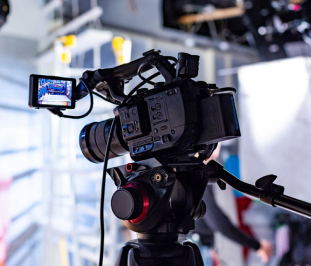
Producing training videos used to be a weeks-long process involving scriptwriting, shooting, studio work, editing, and voice-over. Artificial intelligence has fundamentally changed this chain: today, it's possible to prepare a training module in a single day, without ever stepping in front of a camera — with an avatar instructor, natural voice-over, and AI-generated scenes. In this article, we discuss the four building blocks of AI-powered video production in education and the correct ways to use them.
1. Avatar instructors: No camera, no studio
New generation models of tools like HeyGen (Avatar V) create a digital twin of the instructor from just a 15-second phone recording. The rest is simple: you paste the script, and the avatar narrates with lip-sync and natural facial expressions. Moreover, you can translate the same video into over 140 languages with a single click — a revolutionary speed for international training catalogs.
2. Natural voice-over: Human quality even in Turkish
Voice engines like ElevenLabs have reduced professional voice-over, one of the most expensive items in training videos, to minutes. You can clone your own voice and publish all modules with a single voice identity; with emphasis and emotion control, you can completely overcome the "robotic" feeling.
3. Scene and visual production
Scenes that will reinforce the narration — an inside of a factory, a historical place, an animation of an abstract concept — are now produced with prompts using tools like GPT Image and Seedance. Choosing the right content type (animation, realistic scene, infographic) is key to pedagogical effectiveness.
4. Right type, right platform
Not every topic suits every format: skill training works better with screen recording, conceptual explanations with animation, and behavioral training with scripted scenes. Deciding in the order of Goal → Type → Platform is the most robust way to avoid "beautiful but not teaching" videos.
Where to start?
The fastest way is to see working examples. In our Training Video Production guide, you'll find a step-by-step roadmap from choosing the right video type to camera language, avatar instructor, and voice-over; at MediaRubic Workshop, you can find over 80 real examples with their exact prompts. If you're curious about how an avatar instructor looks, check out our own multilingual avatar example — the same instructor narrates in German, English, and Spanish.
To renew your institution's training videos with an AI-powered production line, contact us.