Matterport BIM File
Matterport BIM File is an additional file you can purchase for your space after scanning an area. The files you receive can be easily imported into Autodesk® Revit software. The BIM (Building Information Modeling) package includes:
- .RVT file (compatible with Revit 2020 and above)
- .DWG (Floor Plan)
- .DWG (Reflected Ceiling Plan)
- .IFC (Industry Foundation Class)
- .RCS (ReCap Scan, point cloud)
The Matterport BIM File is for those working in the AEC field (Architecture, Engineering, and Construction). For example:
- Sectors: Commercial, Retail, Data Centers, General Architecture/Design Firms, Engineering Firms, Construction Firms.
- Who can benefit: Experts responsible for areas such as design, construction, project management, purchasing, and leasing in companies.
Examples
Example of a BIM file for residential use:
http://static.matterport.com/misc/bimSampleResidential.zip
- Architecture
- Architecture + MEP (Mechanical, Electrical, and Plumbing Engineering)
- All available options
Processing Times
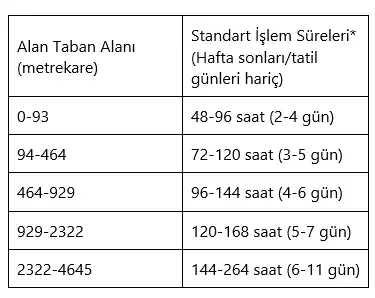
*Processing times are averages. More complex (dense, detailed) spaces may take additional time to complete.
Package Options
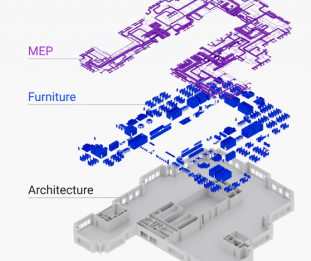
All packages include architecture as a base option. Furniture and MEP (mechanical, electrical, and plumbing engineering) can be added optionally.
- Architecture (default): Shows the existing conditions of the basic building architecture, dimensions, and quantities based on a black and white point cloud.
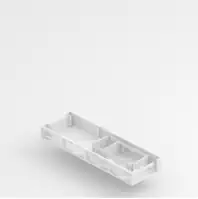
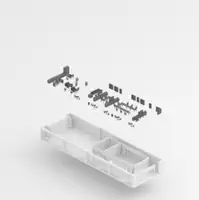
- Architecture and Furniture: Shows the existing conditions of architecture plus tables, seating, cabinets, appliances, and some wall fixtures, etc. based on a black and white point cloud.
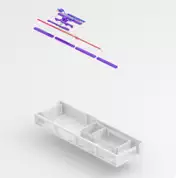
- Architecture and MEP (mechanical, electrical, and plumbing engineering): Shows the existing conditions of architecture plus visible MEP systems, including but not limited to mechanical equipment, piping, plumbing, and electrical outlets based on a black and white point cloud.
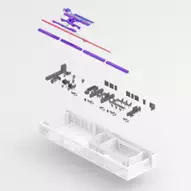
- MEP and Interior Furniture: Shows the conditions of existing interior architecture, furniture, equipment, and visible MEP systems, including but not limited to mechanical equipment, piping, plumbing, and electrical outlets based on a black and white point cloud.
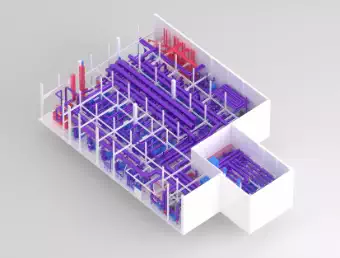
- Complex MEP and Industrial Areas: Includes general models of all non-architectural features, as well as visible systems related to mechanical, electrical, and plumbing. This category is designed for areas such as mechanical rooms, electrical rooms and areas, data centers, and industrial-type buildings.
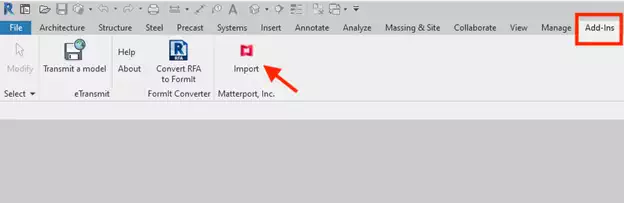
How to Import BIM File to Autodesk® Revit?
Use the Matterport Plugin for Revit to make importing files even easier. Get the plugin here.
Frequently Asked Questions
Are these files LOD 200?
Yes. Structural and architectural elements meet the LOD 200 specification, but furniture and MEP building information generally better represent LOD 300.
LOD 200 means that any information derived from it should be considered "approximate". At this LOD, items are general placeholders. They may appear as the components they represent or may be representative volumetric placeholders.
What is the accuracy?
Accuracy is proportional to the accuracy of the camera used for the shoot. Scan your space thoroughly and try to avoid misalignment or missing areas. In high-ceilinged areas, we recommend the Matterport Pro3 camera to increase the density of the point cloud over long distances.
How are exterior wall widths determined?
If your model only includes interior scans, it is not possible for us to know the width of the exterior walls, so we use a standard size for the wall thickness. If you want to include wall measurements specific to your space, you must add exterior scans to your model so that the wall thickness can be calculated.
What is included in the file created for interiors, exteriors, and roofs?
Elevations are always included. Also:
- Interior: Everything visible in the point cloud for the desired scope is modeled according to LOD 200.
- Exterior: Plants (including trees), vehicles, exterior facade elements except for the exterior of the building are not within the scope of the BIM file. Items such as roads, railings, patio stairs, and swimming pools can be included if they are visible in the point cloud.
- Roof: If the roof is visible in the point cloud, simple roof geometry will be modeled according to LOD 200. The geometry of the roof will be best modeled when there are scanning points from the outside so that the roof can be seen in the point cloud.
These are the building elements included in Matterport's Scan-to-BIM Plugin based on the options you choose when purchasing.
BIM File Price List
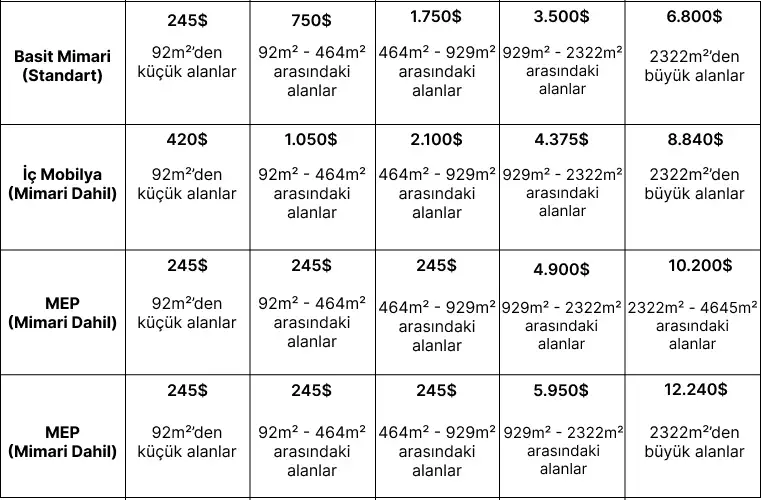
Complex MEP and Industrial Areas Price List
- Areas smaller than 23m2: $995
- Areas between 23m2 -46.5m2: $1,750
- Areas between 46.5m2 -70m2: $2,250
- Areas between 70m2 -93m2: $2,750
- Areas between 93m2 -186m2: $4,000
- Areas between 186m2 -279m2: $4,500
- Areas between 279m2 -371m2: $5,500
- Areas between 371m2 -464m2: $6,500
- Areas between 464m2 -929m2: $7,500
- Areas 929m2<
- For areas larger than 1000 m2, contact us.